Hello Hi-Link Support Team,
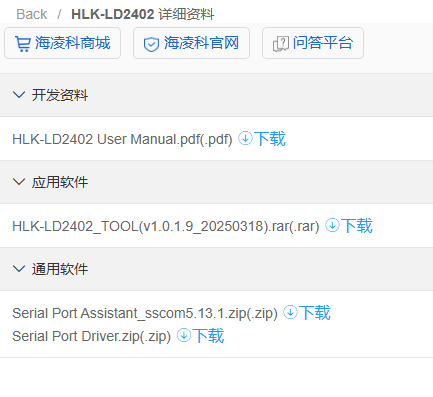
I am experiencing an issue while trying to update the firmware on my HLK-LD2402 radar module using the official HLK-LD2402_TOOL (v1.0.1.9).
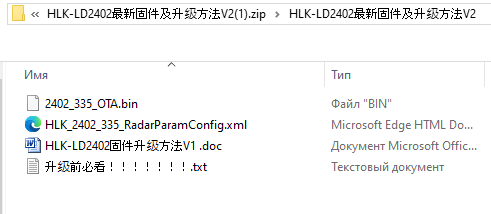
This ld2402.bin - is renamed 2402_335_OTA.bin
Hardware setup:
- Module: HLK-LD2402
- Connection: Hardware USB-UART adapter (CP2102/CH340)
- Wiring: VCC → 3.3V, GND → GND, TX → RX, RX → TX (crossed)
- Jumper on adapter set to 3.3V
- Wires soldered directly to module pads (short, ~3 cm)
Symptoms:
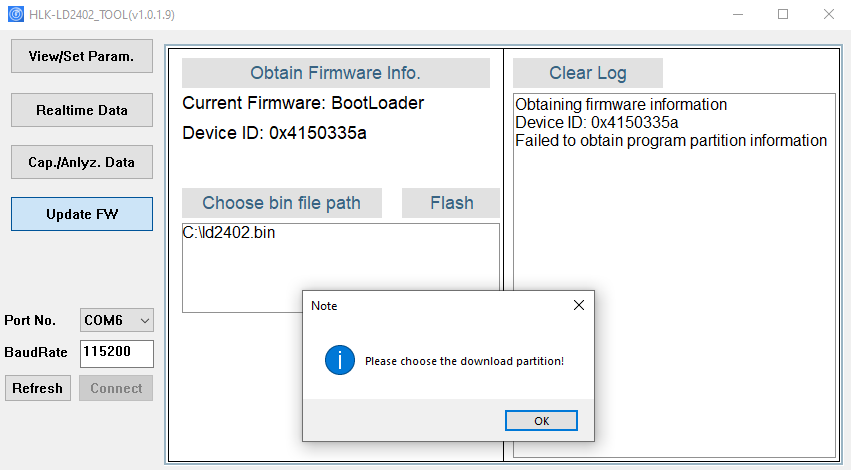
- The tool successfully connects to the module and reads:
- Current Firmware: BootLoader
- Device ID: 0x4150335a
- When I click "Obtain Firmware Info", the log shows:
- "Obtaining firmware information"
- "Device ID: 0x4150335a"
- "Failed to obtain program partition information"
- When I select a .bin firmware file and click "Flash", a popup appears:
- "Please choose the download partition!"
- There is no partition selection UI (no checkboxes for App0/App1/Parameter) in the tool window.
I have tried:
- Both OTA and full-image .bin files
- Different baud rates (115200 is the only one that detects the device)
- Power-cycle trick (connecting VCC at the moment of clicking Flash)
- Multiple firmware files from the official package
Questions:
- Is there a newer version of HLK-LD2402_TOOL that supports reading the partition table for Device ID 0x4150335a?
- What is the correct manual partition address for HLK-LD2402 firmware update (App0 / App1 offset)?
- Can you provide a full (non-OTA) firmware image for HLK-LD2402 compatible with BootLoader mode?
- Is there a known compatibility issue between tool v1.0.1.9 and certain BootLoader revisions?
Please find the screenshot attached showing the exact error messages.
Thank you for your assistance.
Best regards,
Alex