Hello,
Thank you for the quick reply.
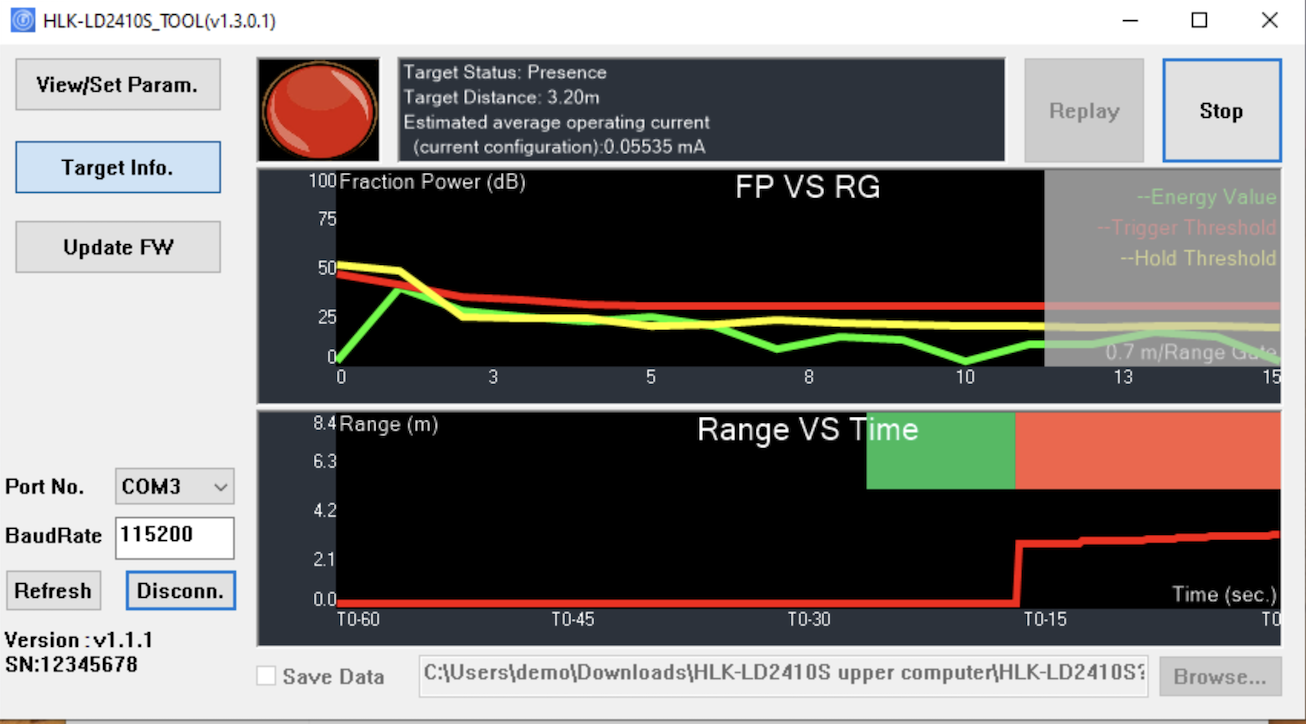
Unfortunately, I don't have access to Windows. Do you have a test tool for Linux? I don't need a GUI; a command-line tool is fine too.
In my opinion, the problem isn't with the Pico2 itself. The serial protocol UART is implemented using MicroPython.
The LD2410 sensors always send packets to the UART by default without explicitly querying it. To me, the output looks similar to "Reported data formats" in "Minimal data" mode. Only the head/tail doesn't match with the the documentation.
Currently, the sensor is sending the following data: "d7f32036a0815838fcc7", "d7f32036a060f0e0c7", etc.
According to the specification, it should be "6eXXYYZZ62" (minimal mode).
In "standard mode," the "reported data" has the following specification: "f4f3f2f1XXXX01YYZZZZXXXX.....f8f7f6f5".
This means the "Reported data formats" do not match the specification and the commands are ignored or there is no ACK response.
I tested the sensor with a TTL USB stick and a PC serial console, and the output is very rudimentary:
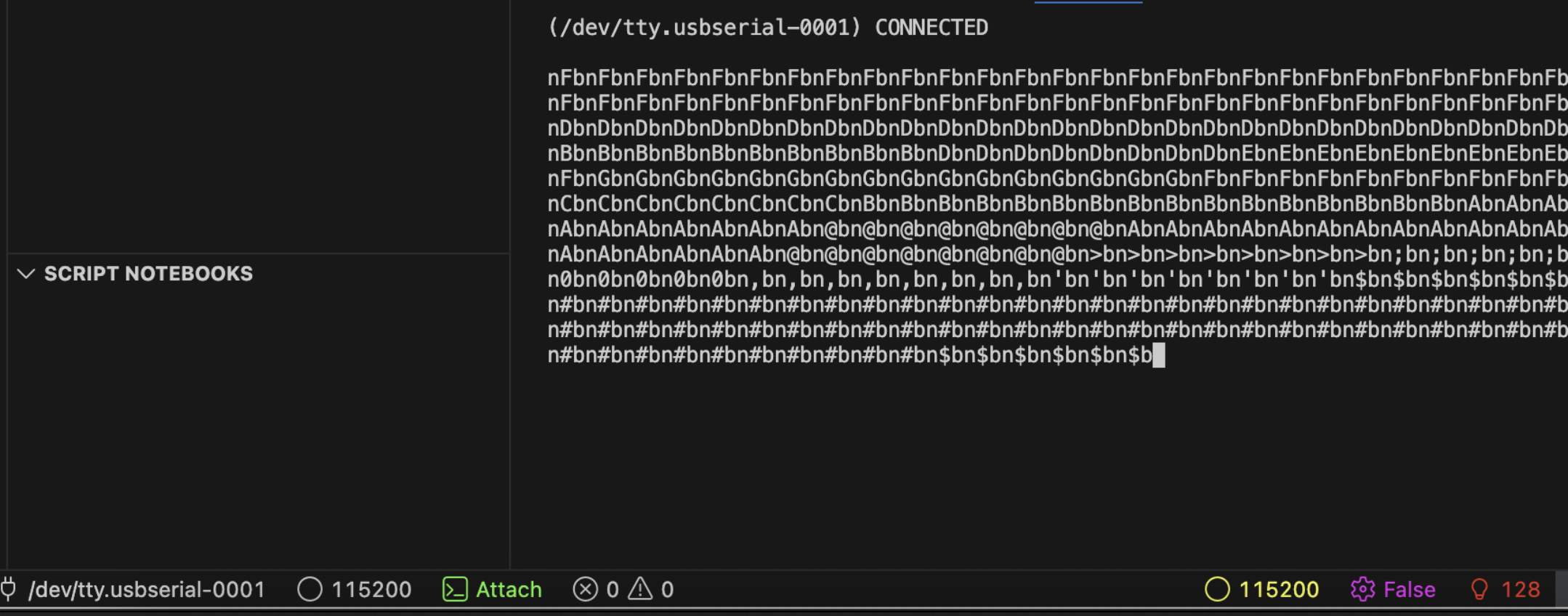
I also tested an LD2410C sensor with Pico2 and UART and the output is correct and matches with "Reported data formats" specification.
f4f3f2f10d0002aa0256000056006446005500f8f7f6f5f4f3f2f10d0002aa0256000056006446005500f8f7f6f5f4f3f2f10d0002aa0256000056006446005500f8f7f6f5f4f3f2f10d0002aa0256000056006446005500f8f7f6f5f4f3f2f10d0002aa0256000056006446005500f8f7f6f5f4f3f2f10d0002aa0256000056006446005500f8f7f6f5f4f3f2f10d0002aa0256000056006446005500f8f7f6f5f4f3f2f10d0002aa0256000056006446005500f8f7f6f5f4f3f2f10d0002aa0256000056006446005500f8f7f6f5f4f3f2f10d0002aa0256000056006446005500f8f7f6f5
New informations:
Further AI analysis of the output points to the LD2420 family.
However, the label "HLK-LD2410S" is clearly visible on the sensors.
Here is an example ai generate code for parsing the output of my modules "based" on the LD2420.
Could it be an LD2410S sensor with LD2420 firmware version?
from machine import UART, Pin
import utime
import ustruct

# --- Configuration ---
# IMPORTANT: Change these pins to match your board's wiring
UART_ID = 1  # On Pico, 0 or 1.
UART_RX_PIN = 21 # Pin connected to the sensor's TX
UART_TX_PIN = 20 # Pin connected to the sensor's RX (not strictly needed for reading)
BAUD_RATE = 115200 # LD2420 uses 256000. LD2410/2410S use 115200.

# LD2420 Protocol Constants
PACKET_HEADER = b'\xd7\xf3\x20'
PACKET_FOOTER = b'\xc7'
MAX_PACKET_LEN = 32 # Safety limit to prevent infinite loops

# --- Setup UART ---
uart = UART(UART_ID,
                    baudrate=BAUD_RATE,
                    tx=Pin(UART_TX_PIN),
                    rx=Pin(UART_RX_PIN))

print(f"UART configured on pins RX:{UART_RX_PIN}, TX:{UART_TX_PIN} at {BAUD_RATE} baud.")
print("Listening for HLK-LD2420 or some HLK-LD2410S radar data...")


def process_packet(packet_data):
    """
    Decodes a complete data packet from the LD2420 sensor.
    packet_data: bytes object containing the command and payload.
    """
    if not packet_data:
        return

    command = packet_data[0]
    payload = packet_data[1:]

    # Command 0x36 is the Target Data Report
    if command == 0x36:
        # A valid target report payload is 5 bytes: state, x_lo, x_hi, y_lo, y_hi
        if len(payload) != 5:
            print(f"Warning: Malformed target packet, length {len(payload)}")
            return

        state_byte = payload[0]

        # Unpack the 16-bit signed little-endian integers for coordinates
        # '<' means little-endian, 'h' means signed short (16-bit)
        try:
            x_mm, y_mm = ustruct.unpack('<hh', payload[1:5])
        except Exception as e:
            print(f"Error unpacking coordinates: {e}")
            return

        # Decode the state byte
        target_present = (state_byte & 0x01) > 0
        is_moving = (state_byte & 0x80) > 0
        is_static = (state_byte & 0x02) > 0

        if target_present:
            target_type = "Unknown"
            if is_moving:
                target_type = "Moving"
            elif is_static:
                target_type = "Static"

            # Convert mm to meters for readability
            x_m = x_mm / 1000.0
            y_m = y_mm / 1000.0

            print(f"Target Detected: YES | Type: {target_type:<7} | X: {x_m:+.2f}m | Y: {y_m:+.2f}m")
        else:
            # This case is unusual for a 0x36 packet but good to handle
            print("Target Detected: NO (according to 0x36 packet)")

    # Command 0x16 seems to be a status/heartbeat packet
    elif command == 0x16:
        if payload and payload[0] == 0x20:
             print("Sensor Status: No target detected.")
        else:
             print(f"Sensor Status: Heartbeat packet received (Payload: {payload.hex()})")

    else:
        print(f"Unknown Packet Command: {command:#04x} with payload: {payload.hex()}")


def find_and_process_packets():
    """
    Main loop to read from UART, find complete packets, and process them.
    This uses a simple state machine to find the header and footer.
    """
    # Wait for the first byte of the header
    if uart.read(1) == PACKET_HEADER[0:1]:
        # Wait for the rest of the header
        if uart.read(2) == PACKET_HEADER[1:3]:
            # Header found, now read until the footer
            packet_buffer = bytearray()

            # Read until footer or max length is reached
            for _ in range(MAX_PACKET_LEN):
                byte = uart.read(1)
                if byte == PACKET_FOOTER:
                    # Footer found, packet is complete
                    process_packet(packet_buffer)
                    return # Exit to start searching for the next packet
                elif byte is None:
                    # Timeout reading from UART
                    break
                else:
                    packet_buffer.extend(byte)

            # If we get here, the footer was not found within MAX_PACKET_LEN
            print("Warning: Packet footer not found, discarding.")


# --- Main Loop ---
try:
    while True:
        if uart.any():
            find_and_process_packets()
        utime.sleep_ms(1) # Small delay to prevent a busy-wait loop
finally:
    uart.deinit()
    print("UART de-initialized.")
UART configured on pins RX:21, TX:20 at 115200 baud.
Listening for HLK-LD2420 or some HLK-LD2410S radar data...
Sensor Status: Heartbeat packet received (Payload: 831c1281e0)
Sensor Status: Heartbeat packet received (Payload: 831c1281e0)
Sensor Status: Heartbeat packet received (Payload: 835c1281e0)
Sensor Status: Heartbeat packet received (Payload: 831c1201e0)
Sensor Status: Heartbeat packet received (Payload: 831c1281e0)
Sensor Status: Heartbeat packet received (Payload: 831c1281e0)
Sensor Status: Heartbeat packet received (Payload: 835c1281e0)
Sensor Status: Heartbeat packet received (Payload: 831c1201e0)
Sensor Status: Heartbeat packet received (Payload: 831c1281e0)
Sensor Status: Heartbeat packet received (Payload: 831c1281e0)
Sensor Status: Heartbeat packet received (Payload: 831c1281e0)
Sensor Status: Heartbeat packet received (Payload: 831c1201e0)
Sensor Status: Heartbeat packet received (Payload: 831c1281e0)
Sensor Status: Heartbeat packet received (Payload: 831c1281e0)
Sensor Status: Heartbeat packet received (Payload: 831c1201e0)
Sensor Status: Heartbeat packet received (Payload: 831c1281e0)
Sensor Status: Heartbeat packet received (Payload: 835c1281e0)
Sensor Status: Heartbeat packet received (Payload: 835c1281e0)
Sensor Status: Heartbeat packet received (Payload: 831c1281e0)
Sensor Status: Heartbeat packet received (Payload: 831c1281e0)
Sensor Status: Heartbeat packet received (Payload: 831c1281e0)
Sensor Status: Heartbeat packet received (Payload: 831c1201e0)
Sensor Status: Heartbeat packet received (Payload: 831c1281e0)
Sensor Status: Heartbeat packet received (Payload: 831c1281e0)
Sensor Status: Heartbeat packet received (Payload: 831c1281e0)
Sensor Status: Heartbeat packet received (Payload: 831c1281e0)
Target Detected: YES | Type: Moving  | X: +3.34m | Y: +29.82m
Target Detected: YES | Type: Moving  | X: +3.34m | Y: +29.82m
Target Detected: YES | Type: Moving  | X: +3.34m | Y: +29.82m
Target Detected: YES | Type: Moving  | X: -32.49m | Y: -17.85m
Sensor Status: Heartbeat packet received (Payload: 831c1281e0)
Sensor Status: Heartbeat packet received (Payload: 831c1281e0)
Sensor Status: Heartbeat packet received (Payload: 831c1281e0)
Sensor Status: Heartbeat packet received (Payload: 831c1281e0)
Sensor Status: Heartbeat packet received (Payload: 831c1281e0)
Sensor Status: Heartbeat packet received (Payload: 831c1201e0)
Sensor Status: Heartbeat packet received (Payload: 831c1281e0)
Sensor Status: Heartbeat packet received (Payload: 831c1281e0)
Sensor Status: Heartbeat packet received (Payload: 831c1281e0)
Sensor Status: Heartbeat packet received (Payload: 831c1281e0)
Sensor Status: Heartbeat packet received (Payload: 831c1281e0)
Sensor Status: Heartbeat packet received (Payload: 831c1281e0)
Sensor Status: Heartbeat packet received (Payload: 831c1281e0)
Target Detected: YES | Type: Moving  | X: +3.34m | Y: +29.82m
Target Detected: YES | Type: Moving  | X: +3.34m | Y: +29.82m
Target Detected: YES | Type: Moving  | X: +3.34m | Y: +29.82m
Target Detected: YES | Type: Moving  | X: +12.38m | Y: -7.95m
Sensor Status: Heartbeat packet received (Payload: 835c1281e0)
Target Detected: YES | Type: Moving  | X: +3.34m | Y: +29.82m
Target Detected: YES | Type: Moving  | X: +3.34m | Y: +29.82m
Warning: Packet footer not found, discarding.
Warning: Packet footer not found, discarding.
Warning: Packet footer not found, discarding.
Target Detected: YES | Type: Moving  | X: +3.34m | Y: +29.82m
Target Detected: YES | Type: Moving  | X: +3.34m | Y: +29.82m
Warning: Packet footer not found, discarding.
Warning: Packet footer not found, discarding.
Warning: Packet footer not found, discarding.
Target Detected: YES | Type: Moving  | X: +3.34m | Y: +29.82m
Target Detected: YES | Type: Moving  | X: +3.34m | Y: +29.82m
Target Detected: YES | Type: Moving  | X: +3.34m | Y: +29.82m
Target Detected: YES | Type: Moving  | X: +3.34m | Y: +29.82m
Target Detected: YES | Type: Moving  | X: +3.34m | Y: +29.82m
Target Detected: YES | Type: Moving  | X: +3.34m | Y: +29.82m
Target Detected: YES | Type: Moving  | X: +3.34m | Y: +29.82m
Warning: Packet footer not found, discarding.
Target Detected: YES | Type: Moving  | X: +3.34m | Y: +29.82m
Target Detected: YES | Type: Moving  | X: +3.34m | Y: +29.82m
Target Detected: YES | Type: Moving  | X: +3.34m | Y: +29.82m
Target Detected: YES | Type: Moving  | X: +3.34m | Y: +29.82m
Target Detected: YES | Type: Moving  | X: +3.34m | Y: +29.82m
Target Detected: YES | Type: Moving  | X: +3.34m | Y: +29.82m
Warning: Packet footer not found, discarding.
Warning: Packet footer not found, discarding.
Warning: Packet footer not found, discarding.
Warning: Packet footer not found, discarding.
Warning: Packet footer not found, discarding.
Warning: Packet footer not found, discarding.
Target Detected: YES | Type: Moving  | X: +3.34m | Y: +29.82m
Warning: Packet footer not found, discarding.
Target Detected: YES | Type: Moving  | X: +3.36m | Y: +29.82m
Target Detected: YES | Type: Moving  | X: +3.34m | Y: +29.82m
Target Detected: YES | Type: Moving  | X: +3.34m | Y: +29.82m
Target Detected: YES | Type: Moving  | X: +3.34m | Y: +29.82m
Warning: Packet footer not found, discarding.
Warning: Packet footer not found, discarding.
Target Detected: YES | Type: Moving  | X: +3.34m | Y: +29.82m
Target Detected: YES | Type: Moving  | X: +3.34m | Y: +29.82m
Target Detected: YES | Type: Unknown | X: +3.34m | Y: +29.82m
Target Detected: YES | Type: Moving  | X: +3.35m | Y: +29.82m
Target Detected: NO (according to 0x36 packet)
Sensor Status: Heartbeat packet received (Payload: c05004e0)
Warning: Packet footer not found, discarding.
Warning: Packet footer not found, discarding.
Warning: Packet footer not found, discarding.
Warning: Packet footer not found, discarding.
Target Detected: NO (according to 0x36 packet)
Warning: Packet footer not found, discarding.
Warning: Packet footer not found, discarding.
Warning: Malformed target packet, length 4
Warning: Malformed target packet, length 4
Warning: Malformed target packet, length 4
Target Detected: YES | Type: Moving  | X: +19.73m | Y: -7.95m
Warning: Packet footer not found, discarding.
Target Detected: YES | Type: Moving  | X: +28.77m | Y: -7.95m
Warning: Packet footer not found, discarding.
Warning: Packet footer not found, discarding.
Warning: Packet footer not found, discarding.
Target Detected: YES | Type: Static  | X: +19.74m | Y: -7.95m
Target Detected: NO (according to 0x36 packet)
Warning: Packet footer not found, discarding.
Target Detected: YES | Type: Moving  | X: -13.05m | Y: +29.82m
Warning: Packet footer not found, discarding.
Warning: Packet footer not found, discarding.
Target Detected: YES | Type: Moving  | X: -29.41m | Y: -7.95m
Warning: Packet footer not found, discarding.
Warning: Packet footer not found, discarding.
Warning: Packet footer not found, discarding.
Target Detected: YES | Type: Moving  | X: +3.35m | Y: +29.82m
Warning: Malformed target packet, length 4
Warning: Malformed target packet, length 4
Target Detected: YES | Type: Moving  | X: -28.39m | Y: -17.92m
Warning: Packet footer not found, discarding.
Warning: Packet footer not found, discarding.
Warning: Packet footer not found, discarding.
Target Detected: YES | Type: Static  | X: +19.73m | Y: +29.82m
Warning: Packet footer not found, discarding.
Target Detected: NO (according to 0x36 packet)
Target Detected: YES | Type: Moving  | X: +3.33m | Y: +29.82m
Target Detected: YES | Type: Static  | X: +3.35m | Y: +29.82m
Target Detected: YES | Type: Moving  | X: +3.34m | Y: +29.82m
Target Detected: YES | Type: Moving  | X: -13.05m | Y: +29.82m
Warning: Packet footer not found, discarding.
Warning: Packet footer not found, discarding.
Warning: Packet footer not found, discarding.
Warning: Packet footer not found, discarding.
Warning: Packet footer not found, discarding.
Warning: Packet footer not found, discarding.
Warning: Malformed target packet, length 4
Target Detected: NO (according to 0x36 packet)
Target Detected: NO (according to 0x36 packet)
Warning: Packet footer not found, discarding.
Warning: Malformed target packet, length 4
Warning: Malformed target packet, length 4
Warning: Malformed target packet, length 4
Target Detected: NO (according to 0x36 packet)
Sensor Status: Heartbeat packet received (Payload: 801492f0e0)
Sensor Status: Heartbeat packet received (Payload: 801492f0e0)
Warning: Packet footer not found, discarding.
Target Detected: NO (according to 0x36 packet)
Target Detected: NO (according to 0x36 packet)
Target Detected: NO (according to 0x36 packet)
Target Detected: NO (according to 0x36 packet)
Target Detected: YES | Type: Moving  | X: -28.15m | Y: -7.95m
Target Detected: NO (according to 0x36 packet)
Warning: Packet footer not found, discarding.
Target Detected: YES | Type: Moving  | X: -20.38m | Y: -7.95m
Target Detected: NO (according to 0x36 packet)
Warning: Packet footer not found, discarding.
Sensor Status: Heartbeat packet received (Payload: 805492f0e0)
Warning: Packet footer not found, discarding.
Sensor Status: Heartbeat packet received (Payload: 805492f0e0)
Warning: Packet footer not found, discarding.
Warning: Packet footer not found, discarding.
Warning: Packet footer not found, discarding.
Warning: Packet footer not found, discarding.
Warning: Packet footer not found, discarding.
Warning: Packet footer not found, discarding.
Warning: Packet footer not found, discarding.
Warning: Packet footer not found, discarding.
Warning: Packet footer not found, discarding.
Warning: Packet footer not found, discarding.
Warning: Packet footer not found, discarding.
Warning: Packet footer not found, discarding.
Warning: Packet footer not found, discarding.
Warning: Packet footer not found, discarding.
Warning: Malformed target packet, length 4
UART de-initialized.